
index.en.md 18 KB
title: "Theme Documentation - Content" date: 2020-03-05T15:58:26+08:00 lastmod: 2020-03-15T11:26:13+08:00 description: "Find out how to create and organize your content quickly and intuitively in uBlogger theme." resources:
- name: "featured-image"
src: "featured-image.jpg"
upd: "You can now customize the post preview design"
tags: ["content", "Markdown"] categories: ["documentation"]
page:
theme: full
toc: auto: false math:
enable: true
Find out how to create and organize your content quickly and intuitively in uBlogger theme.
1 Contents Organization {#contents-organization}
A few suggestions to help you get a good looking site quickly:
- Keep post pages in the
content/postsdirectory, for example:content/posts/my-first-post.md - Keep other pages in the
contentdirectory, for example:content/about.md - Local resources organization
{{< admonition note "Local Resource Reference" >}} {{< version 0.2.10 >}}
There are three ways to reference local resources such as images and music:
- Using page resources in page bundles.
You can reference page resources by the value for
Resources.GetMatchor the filepath of the resource relative to the page directory directly. - Store resources in the assets directory, which is
/assetsby default. The filepath of the resource to reference in the post is relative to the assets directory. - Store resources in the static directory, which is
/staticby default. The filepath of the resource to reference in the post is relative to the static directory.
The priority of references is also in the above order.
There are many places in the theme where the above local resource references can be used,
such as links, images, image shortcode, music shortcode and some params in the front matter.
Images in page resources or assets directory processing will be supported in the future. It's really cool! :(far fa-grin-squint fa-fw): {{< /admonition >}}
2 Front Matter {#front-matter}
Hugo allows you to add front matter in yaml, toml or json to your content files.
{{< admonition >}}
Not all of the below front matters need to be set in each of your posts.
It is necessary only if the front matters and the page part in your site configuration are inconsistent.
{{< /admonition >}}
Here is a front matter example:
---
title: "My First Post"
subtitle: ""
date: 2020-03-04T15:58:26+08:00
lastmod: 2020-03-04T15:58:26+08:00
draft: true
# author {{< version 1.0.0 changed >}}
author: ""
# authorLink {{< version 1.0.0 deleted >}}
authorLink: ""
description: ""
license: ""
images: []

# {{< version 1.0.0 new >}} Article Update Information
upd: ""

# {{< version 1.0.0 new >}} Author's comment, is shown above all comments
authorComment: ""

# {{< version 1.2.0 change >}} article design theme
theme: ""
# {{< version 1.2.0 new >}} Allows you to hide the preview image on the article page
hiddenFeaturedImage: false

# {{< version 1.2.0 change >}} Post display settings on the page
summaryStyle:
    # {{< version 1.1.0 new >}} Display previews on the page of posts
    hiddenImage: false
    # {{< version 1.1.0 new >}} Allows you to hide the description
    hiddenDescription: false
    # {{< version 1.1.0 new >}} Allows you to hide the title
    hiddenTitle: true
    tags:
      # {{< version 1.1.0 new >}} One of the options for displaying tags
      theme: "image"
      # {{< version 1.1.0 new >}} Text color
      color: "white"
      # {{< version 1.1.0 new >}} Backing color
      background: "black"
      # {{< version 1.1.0 new >}} Tag transparency
      transparency: 0.9
tags: []
categories: []
featuredImage: ""
featuredImagePreview: ""

hiddenFromHomePage: false
hiddenFromSearch: false
twemoji: false

ruby: true
fraction: true
fontawesome: true
linkToMarkdown: true
rssFullText: false

toc:
  enable: true
  auto: true
code:
  copy: true
  # ...
math:
  enable: true
  # ...
mapbox:
  accessToken: ""
  # ...
share:
  enable: true
  # ...
comment:
  enable: true
  # ...
library:
  css:
    # someCSS = "some.css"
    # located in "assets/"
    # Or
    # someCSS = "https://cdn.example.com/some.css"
  js:
    # someJS = "some.js"
    # located in "assets/"
    # Or
    # someJS = "https://cdn.example.com/some.js"
seo:
  images: []
  # ...
---
- title: the title for the content.
- subtitle: {{< version 0.2.0 >}} the subtitle for the content.
- date: the datetime assigned to this page, which is usually fetched from the
datefield in front matter, but this behaviour is configurabl in the site configuration. - lastmod: the datetime at which the content was last modified.
- draft: if
true, the content will not be rendered unless the--buildDrafts/-Dflag is passed to thehugocommand. - author: {{< version 1.0.0 changed >}} the author for the content.
- authorLink: {{< version 1.0.0 deleted >}} the link of the author.
- description: the description for the content.
- license: the special lisence for this content.
images: page images for Open Graph and Twitter Cards.
tags: the tags for the content.
categories: the categories for the content.
featuredImage: the featured image for the content.
featuredImagePreview: the featured image for the content preview in the home page.
hiddenFromHomePage: if
true, the content will not be shown in the home page.hiddenFromSearch: {{< version 0.2.0 >}} if
true, the content will not be shown in the search results.twemoji: {{< version 0.2.0 >}} if
true, the content will enable the twemoji.lightgallery: if
true, images in the content will be shown as the gallery.ruby: {{< version 0.2.0 >}} if
true, the content will enable the ruby extended syntax.fraction: {{< version 0.2.0 >}} if
true, the content will enable the fraction extended syntax.fontawesome: {{< version 0.2.0 >}} if
true, the content will enable the Font Awesome extended syntax.linkToMarkdown: if
true, the footer of the content will be shown the link to the orignal Markdown file.rssFullText: {{< version 0.2.4 >}} if
true, the full text content will be shown in RSS.toc: {{< version 0.2.9 changed >}} the same as the
params.page.tocpart in the site configuration.code: {{< version 0.2.0 >}} the same as the
params.page.codepart in the site configuration.math: {{< version 0.2.0 changed >}} the same as the
params.page.mathpart in the site configuration.mapbox: {{< version 0.2.0 >}} the same as the
params.page.mapboxpart in the site configuration.share: the same as the
params.page.sharepart in the site configuration.comment: {{< version 0.2.0 changed >}} the same as the
params.page.commentpart in the site configuration.library: {{< version 0.2.7 >}} the same as the
params.page.librarypart in the site configuration.seo: {{< version 0.2.10 >}} the same as the
params.page.seopart in the site configuration.
{{< admonition tip >}} {{< version 0.2.10 >}}
featuredImage and featuredImagePreview support the complete usage of local resource references.
If the page resource with name: featured-image or name: featured-image-preview is set in the front matter,
it is not necessary to set the parameter featuredImage or featuredImagePreview:
resources:
- name: featured-image
  src: featured-image.jpg
- name: featured-image-preview
  src: featured-image-preview.jpg
{{< /admonition >}}
Theme
{{< version 1.0.0 new >}}
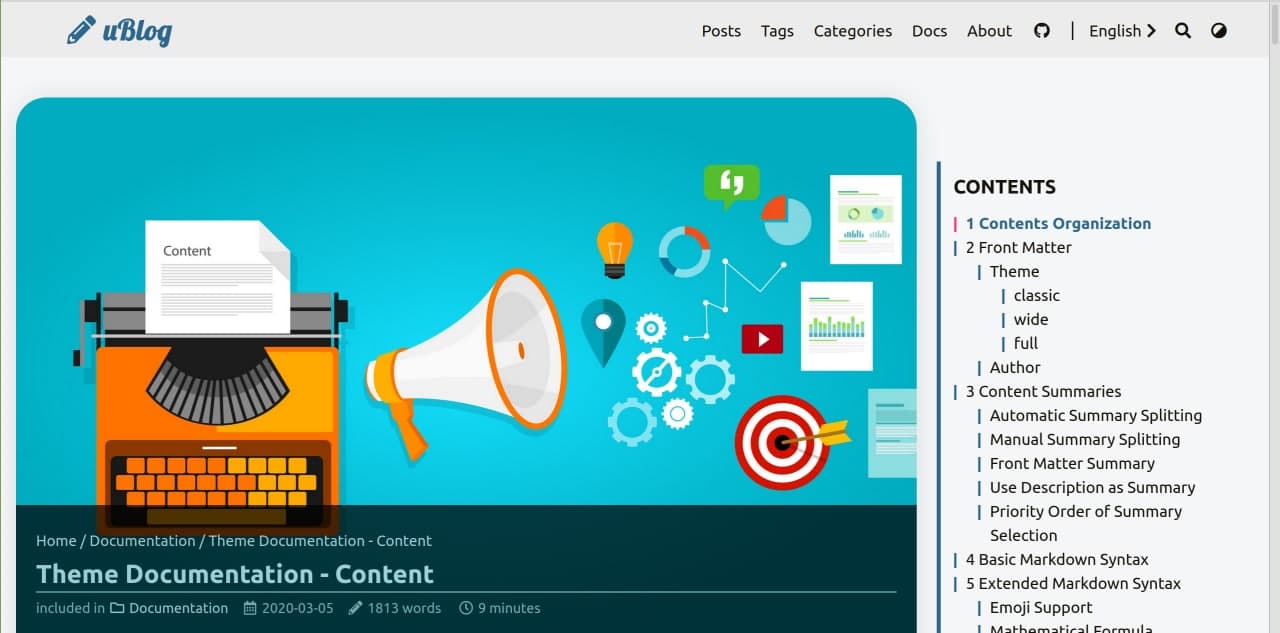
You can choose one of three topics for an article. The differences between them are in the location of the image and the title of the article with metadata.
All themes are adaptable to any screen size.
Available values: classic, wide, full. This page uses design - full.
{{< admonition type=tip title="Idea" open=true >}} If you combine them with toc, you can get even more styling options. {{< /admonition >}}
classic

wide

full
Author {#author}
{{< version 1.0.0 changed >}}
Many authors are now supported - you can write more than one article.
For your convenience, author data is stored as json in the data/authors folder. Don't forget to create it.
{{< admonition type=example title="Example" open=true >}} You can see the author's example at the end of this article. {{< /admonition >}}
Format JSON:
{
  "name": "Struchkov Mark",
  "nickname": "uPagge",
  "about": "Trusted user pc",
  "avatar": "https://upagge.ru/img/ava.jpg",
  "link": "https://uPagge.ru",
  "email": "[email protected]",
  "ps": "If you like this topic, put an asterisk in GitHub, it will be a pleasure for me"
}
:baguette_bread: Breadcrumbs {#u-breadcrumbs}
{{< version 1.0.0 new >}}
This is quite a useful chip for SEO optimization, it is implemented in all three themes. Support for opengraph.
Traditionally, Breadcrumbs are placed above the header.
They contain a path by sections to the current page, with links to sections. For posts it is the main page of the site, then the category of the post and the name of the post without a link.
Disable content for H1-H2
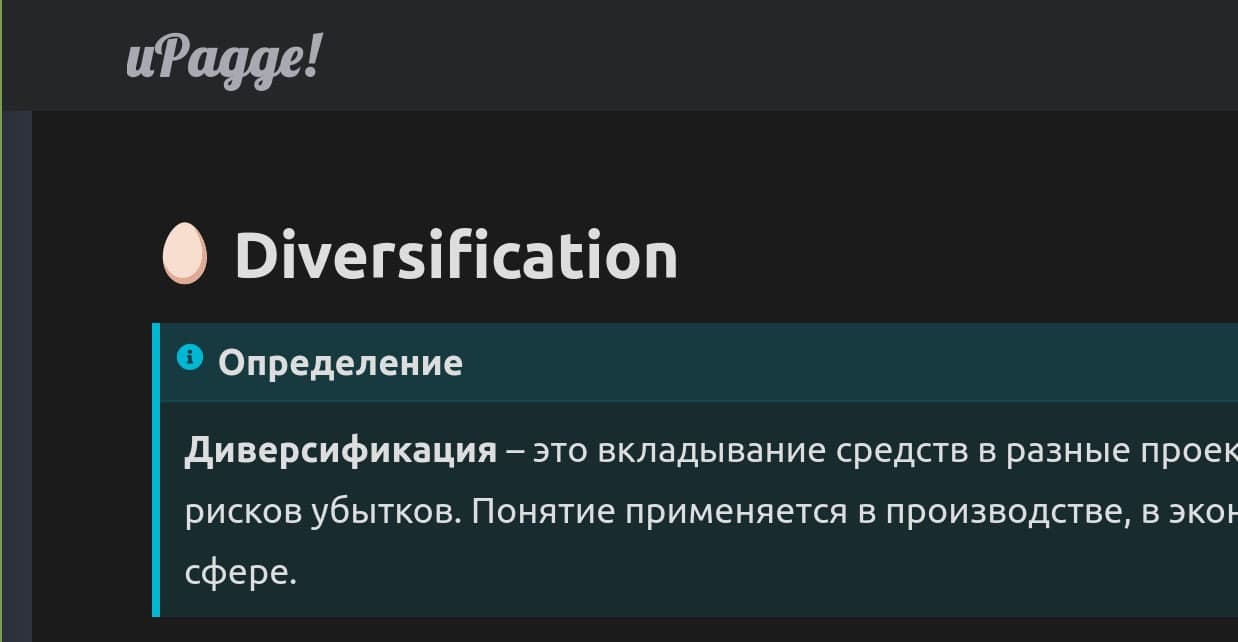
You can disable default characters '#', '|' by setting the correct id. It must start with 'u-'.
You can use this to set emoji or partition number.
Summary display settings
You can customize the summary view to your taste by changing the following parameters.
summaryStyle:
    hiddenImage: false
    hiddenDescription: false
    hiddenTitle: true
    tags:
      theme: "image"
      color: "white"
      background: "black"
      transparency: 0.9
What kinds of tags are available:
- image. Tags on the picture
- footer. Tags in footer summary
- under-footer. Tags under summary
These parameters, together with the scss override, allow you to customize the display quite flexibly.
$article-summary-border-radius: 32px;
$article-summary-image-border-radius: 30px;
The global setting is, as always, available in the main configuration file
3 Content Summaries
uBlogger theme uses the summary of the content to display abstract information in the home page. Hugo can generate summaries of your content.

Automatic Summary Splitting
By default, Hugo automatically takes the first 70 words of your content as its summary.
You may customize the summary length by setting summaryLength in the site configuration.
If you are creating content in a [CJK]^(Chinese/Japanese/Korean) language and want to use Hugo’s automatic summary splitting, set hasCJKLanguage to true in your site configuration.
Manual Summary Splitting
Alternatively, you may add the <!--more--> summary divider where you want to split the article.
Content that comes before the summary divider will be used as that content’s summary.
{{< admonition >}}
Be careful to enter <!--more--> exactly; i.e., all lowercase and with no whitespace.
{{< /admonition >}}
Front Matter Summary
You might want your summary to be something other than the text that starts the article. In this case you can provide a separate summary in the summary variable of the article front matter.
Use Description as Summary
You might want your description in the description variable of the article front matter as the summary.
You may add the <!--more--> summary divider at the start of the article. Keep content that comes before the summary divider empty. Then uBlogger theme will use your description as the summary.
Priority Order of Summary Selection
Because there are multiple ways in which a summary can be specified it is useful to understand the order. It is as follows:
- If there is a
<!--more-->summary divider present in the article but no content is before the divider, the description will be used as the summary. - If there is a
<!--more-->summary divider present in the article the text up to the divider will be provided as per the manual summary split method. - If there is a summary variable in the article front matter the value of the variable will be provided as per the front matter summary method.
- The text at the start of the article will be provided as per the automatic summary split method.
{{< admonition >}} It is not recommended to include rich text block elements in the summary, which will cause typographic errors. Such as code blocks, pictures, tables, etc. {{< /admonition >}}
TimeAgo
{{< version 1.2.0 new >}}
TimeAgo allows you to display the date of publication of a post in the style of social networks, as opposed to the current time. For example, "4 minutes ago," "one day ago"

4 Basic Markdown Syntax
This part is shown in the basic markdown syntax page.
5 Extended Markdown Syntax {#extended-markdown-syntax}
uBlogger theme has some extended syntax elements for you to write articles.
Emoji Support
This part is shown in the emoji support page.
Mathematical Formula
uBlogger theme supports mathematical formulas based on $ \KaTeX $.
Set the property enable = true under [params.math] in your site configuration
and the property math: true of the article front matter to enable the automatic rendering of mathematical formulas.
{{< admonition tip >}} Here is a list of $ \TeX $ functions supported by $ \KaTeX $. {{< /admonition >}}
Block Formula
The default block delimiters are $$/$$ and \\[/\\]:
$$ c = \pm\sqrt{a^2 + b^2} $$

\\[ f(x)=\int_{-\infty}^{\infty} \hat{f}(\xi) e^{2 \pi i \xi x} d \xi \\]
The rendered output looks like this:
$$ c = \pm\sqrt{a^2 + b^2} $$
\[ f(x)=\int_{-\infty}^{\infty} \hat{f}(\xi) e^{2 \pi i \xi x} d \xi \]
Inline Formula
The default inline delimiters are $/$ and \\(/\\):
$ c = \pm\sqrt{a^2 + b^2} $ and \\( f(x)=\int_{-\infty}^{\infty} \hat{f}(\xi) e^{2 \pi i \xi x} d \xi \\)
The rendered output looks like this:
$ c = \pm\sqrt{a^2 + b^2} $ and \( f(x)=\int_{-\infty}^{\infty} \hat{f}(\xi) e^{2 \pi i \xi x} d \xi \)
{{< admonition tip >}} You can add more block and inline delimiters in your site configuration. {{< /admonition >}}
Copy-tex
Copy-tex is an extension for $ \KaTeX $.
By the extension, when selecting and copying $ \KaTeX $ rendered elements, copies their $ \LaTeX $ source to the clipboard.
Set the property copyTex = true under [params.math] in your site configuration to enable Copy-tex.
Select and copy the formula rendered in the previous section, and you can find that the copied content is the LaTeX source code.
mhchem
mhchem is an extension for $ \KaTeX $.
By the extension, you can write beautiful chemical equations easily in the article.
Set the property mhchem = true under [params.math] in your site configuration to enable mhchem.
$$ \ce{CO2 + C -> 2 CO} $$

$$ \ce{Hg^2+ ->[I-] HgI2 ->[I-] [Hg^{II}I4]^2-} $$
The rendered output looks like this:
$$ \ce{CO2 + C -> 2 CO} $$
$$ \ce{Hg^2+ ->[I-] HgI2 ->[I-] [Hg^{II}I4]^2-} $$
Ruby Annotation {#ruby}
An extended Markdown syntax for ruby annotation is supported in uBlogger theme:
[Hugo]{?^}(An open-source static site generator)
The rendered output looks like this:
[Hugo]^(An open-source static site generator)
Fraction {#fraction}
{{< version 0.2.0 >}}
An extended Markdown syntax for fraction is supported in uBlogger theme:
[Light]{?/}[Dark]

[99]{?/}[100]
The rendered output looks like this:
[Light]/[Dark]
[90]/[100]
Font Awesome {#fontawesome}
uBlogger theme uses Font Awesome as the icon library. You can easily use these icons in your articles.
Get the class of icons you wanted from the Font Awesome website.
Gone camping! {?:}(fas fa-campground fa-fw): Be back soon.

That is so funny! {?:}(far fa-grin-tears):
The rendered output looks like this:
Gone camping! :(fas fa-campground fa-fw): Be back soon.
That is so funny! :(far fa-grin-tears):
Escape character {#escape-character}
In some special cases (when writing this theme documentation :(far fa-grin-squint-tears):), your content will conflict with basic or extended Markdown syntax, and it is inevitable.
The escape character syntax can help you build the content you wanted:
{{??}X} -> X
For example, two : will enable emoji syntax, which is not the behavior you want. The escape character syntax is like this:
{{??}:}joy:
The rendered output looks like this:
{?:}joy{?:} instead of :joy:
{{< admonition tip >}} This is related to an issue for Hugo, which has not been resolved. {{< /admonition >}}
Another example is:
[link{{??}]}(#escape-character)
The rendered output looks like this:
[link{?]}(#escape-character) instead of link.